

Adding a role
If you originally enrolled in ICO with one role only, you can add an additional role to your existing ICO profile.
You must have been approved by TMR for any additional roles. Please contact us if you have any issues adding a role in ICO.
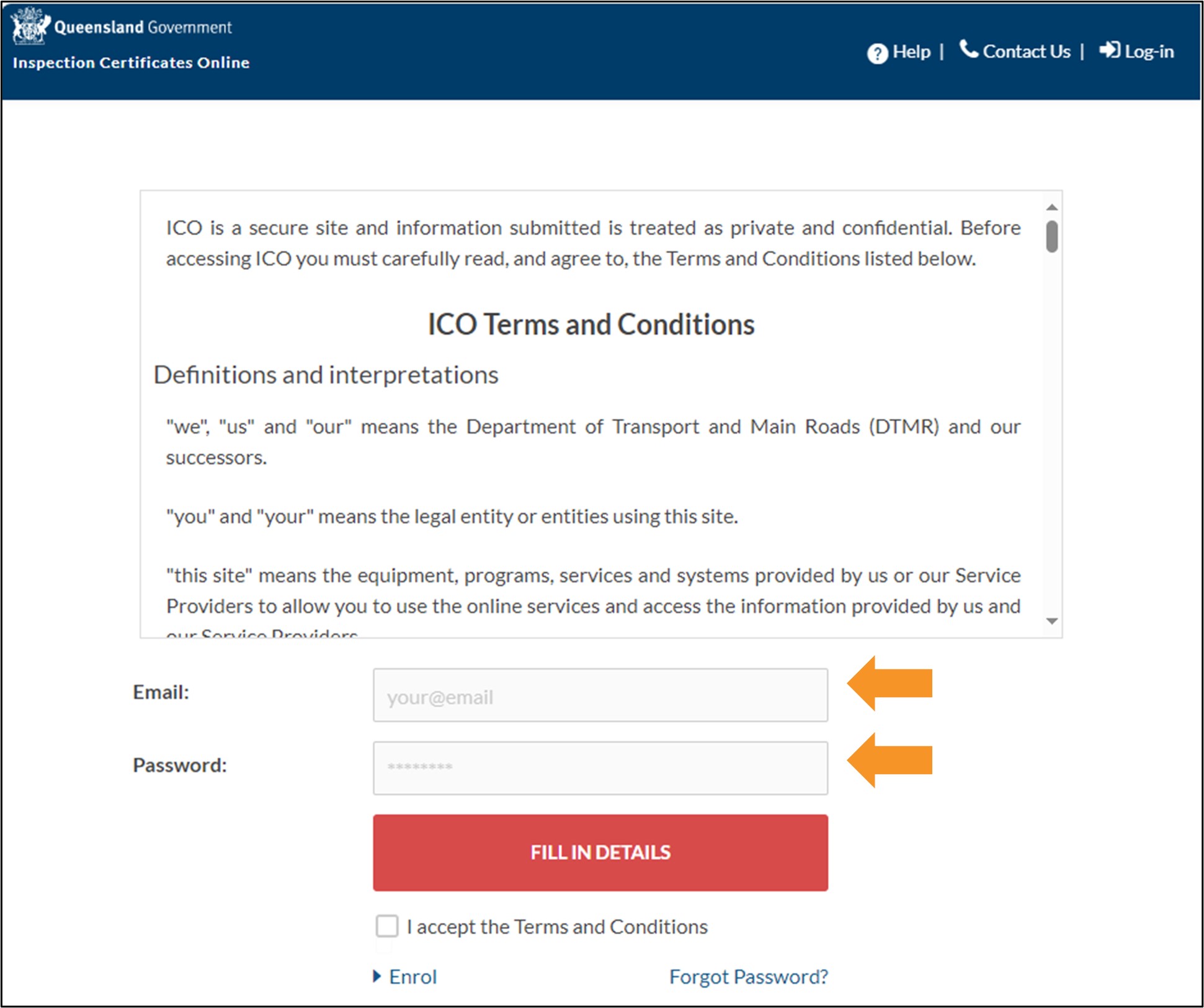
- Login to ICO with your email and password.
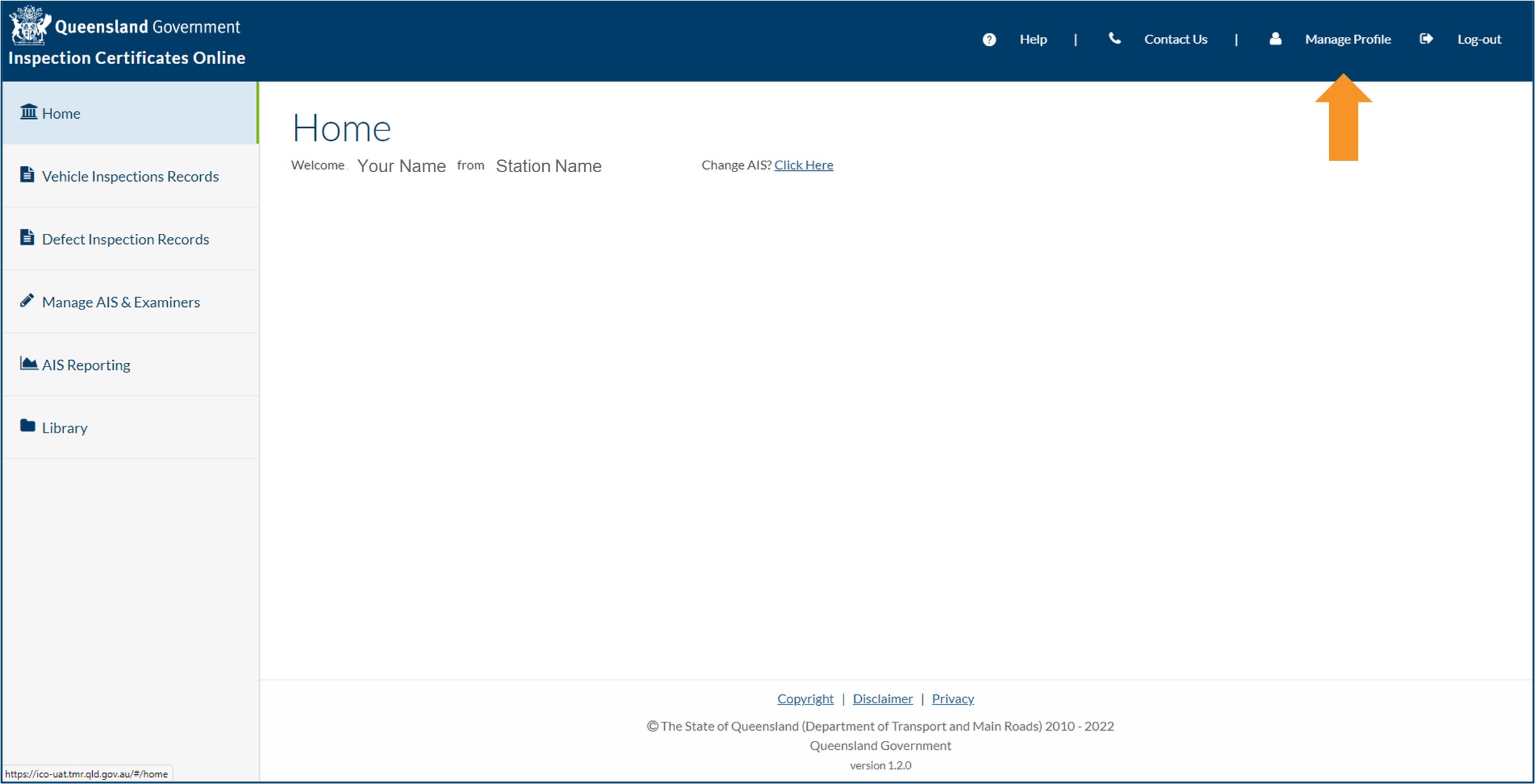
- Click Manage Profile from the top menu of the Home screen.
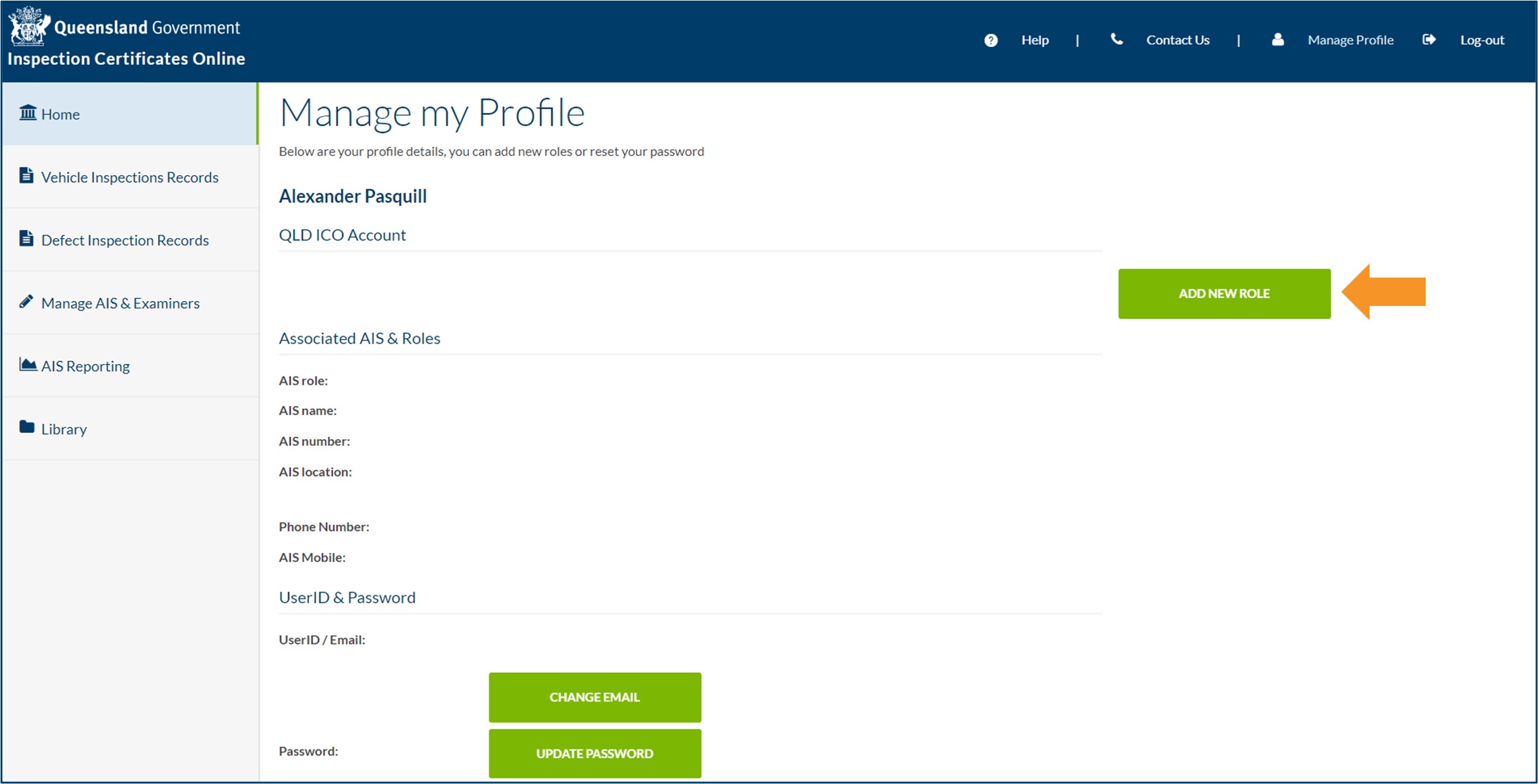
- On the Manage my Profile screen, click ADD NEW ROLE.
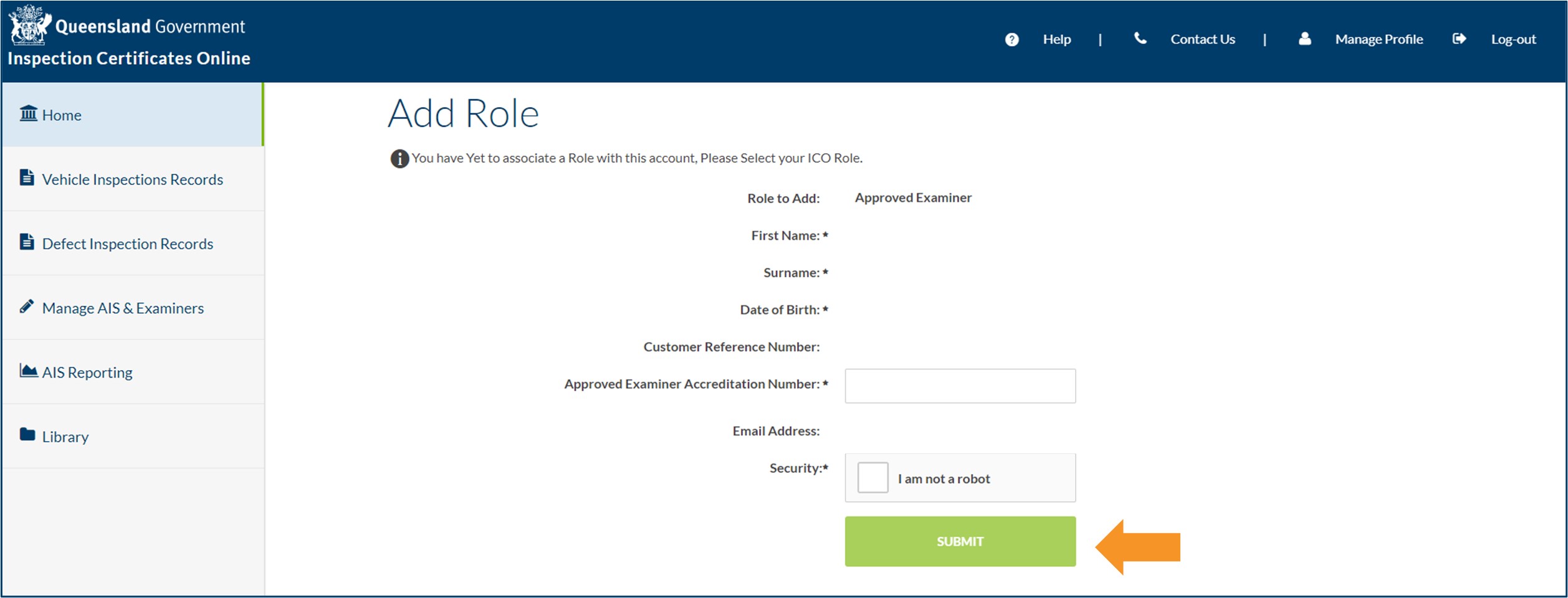
- On the Add Role screen, complete all required field. Some fields will already be completed.
- For the Approved Examiner role, you'll need to enter your Approved Examiner Accreditation Number. This can be found on your approval document issued by TMR.
- For the Approval Holder role, you'll need to enter your Approved Inspection Station Approval Number and Approved Inspection Station Customer Reference Number. These can be found on your approval document, issued by TMR. You will also need to enter your country of birth if you were born outside Australia, and your place of birth (city or town) if you were born in Australia.
- Check the I am not a robot checkbox and click SUBMIT.
- Once you have added your new role, you must log out and log back in for the changes to take effect.
- Last updated
- 23 August 2024
Contact us
If you experience any issues, contact the help desk between 8:30am and 4:30pm, Monday to Friday.
| Email: | [email protected] |
|---|---|
| Phone: | 07 3066 2482 |
| Post: |
ICO Administrator Department of Transport and Main Roads PO Box 673 FORTITUDE VALLEY QLD 4006 |