

Enabling an approved inspection station
Each approved inspection station (AIS) must be enabled in Inspection Certificates Online (ICO) by an approval holder before any approved examiners can login and record inspections.
An AIS that has been newly created in ICO must have an approval holder enable it in ICO before any inspections can be conducted.
If the approval for an AIS has expired, the AIS will be automatically disabled in ICO. Once the AIS approval has been renewed, an approval holder can enable the station.
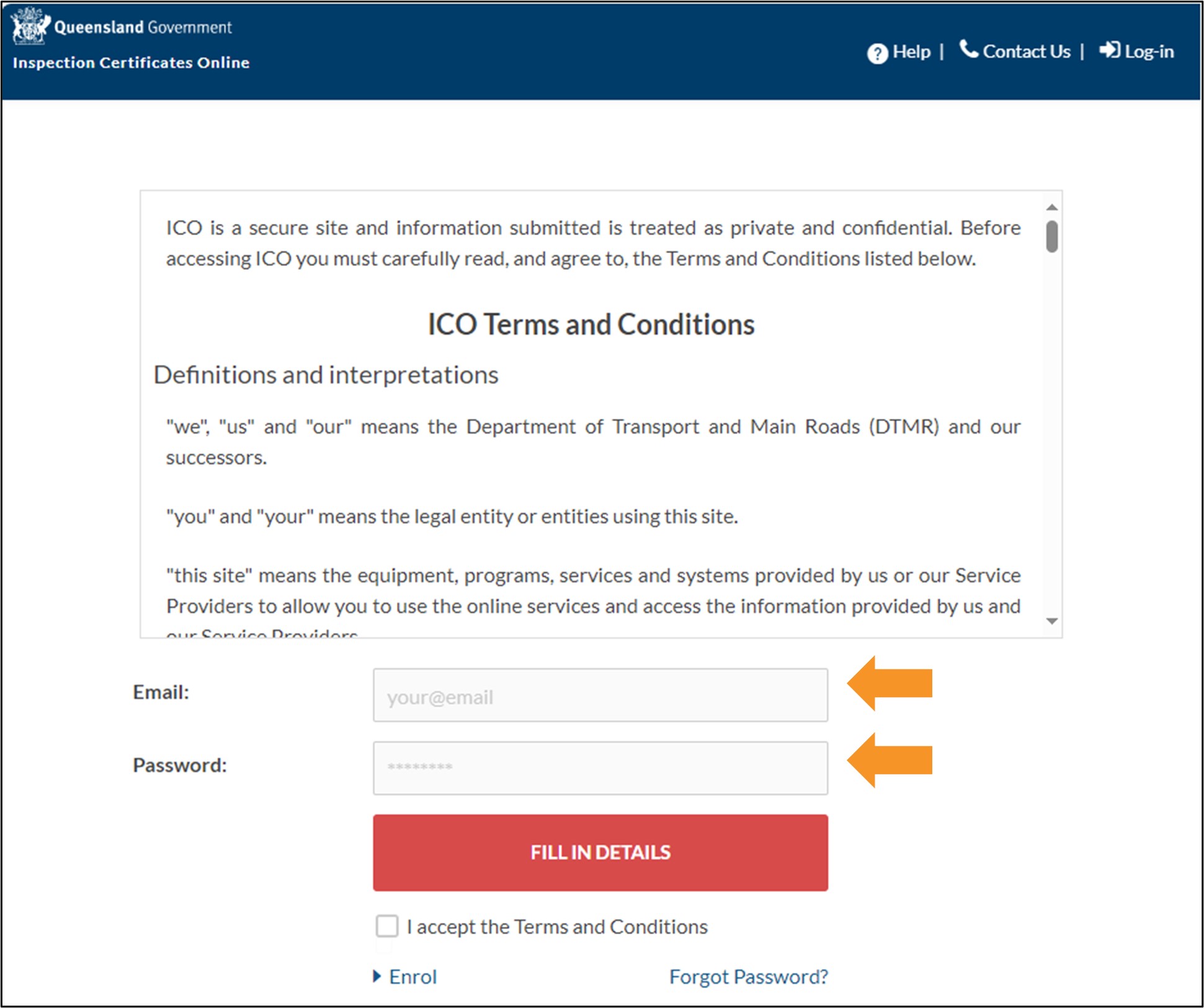
- Log in to ICO with your email and password.
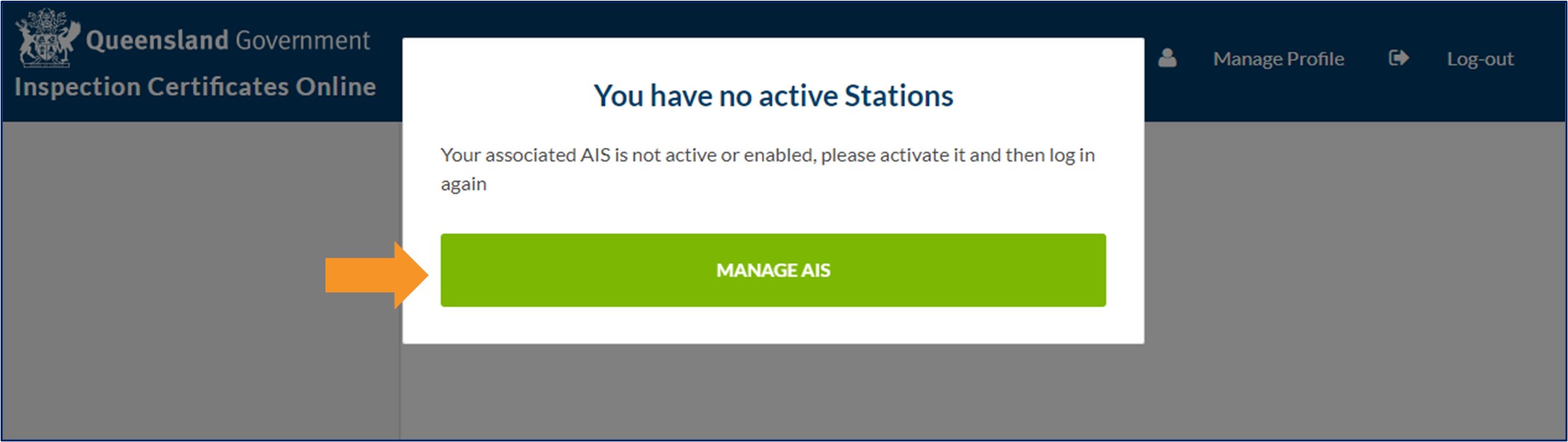
- If the AIS is newly created, a pop-up window will indicate that the AIS you are associated with is inactive. Click MANAGE AIS.
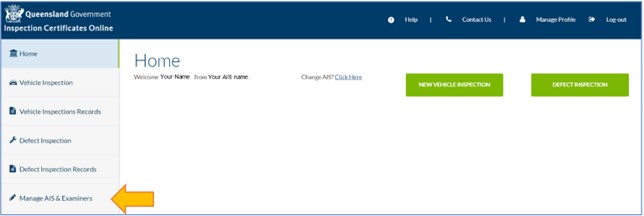
- If you are an existing approval holder, you will be taken to your Home screen. Click Manage AIS & Examiners.
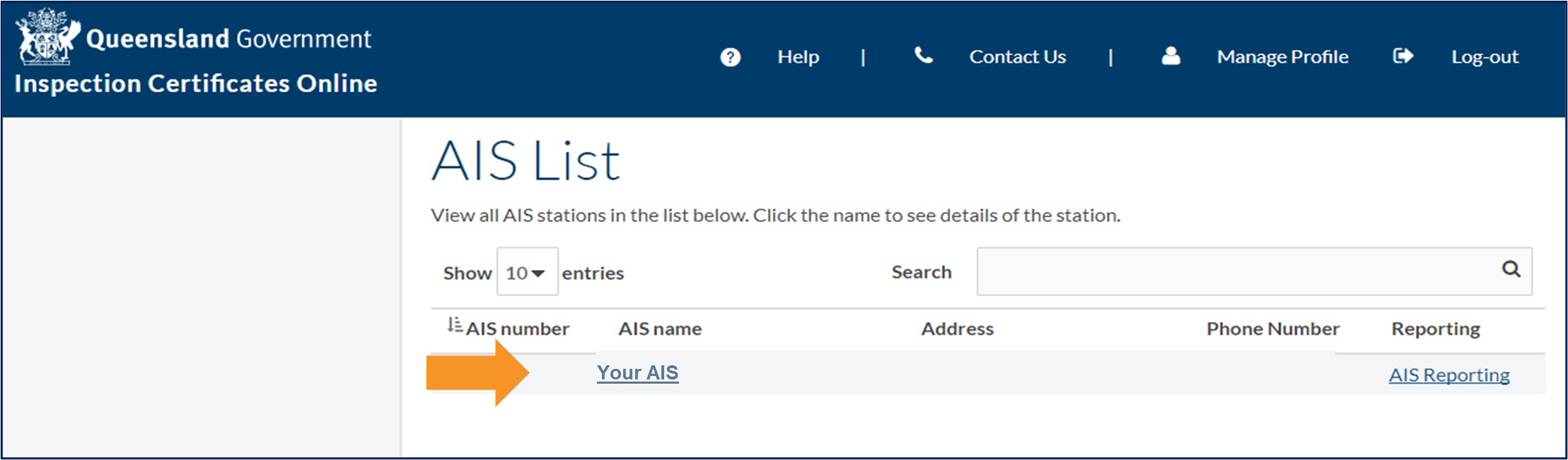
- Click the AIS you want to enable from the AIS list.
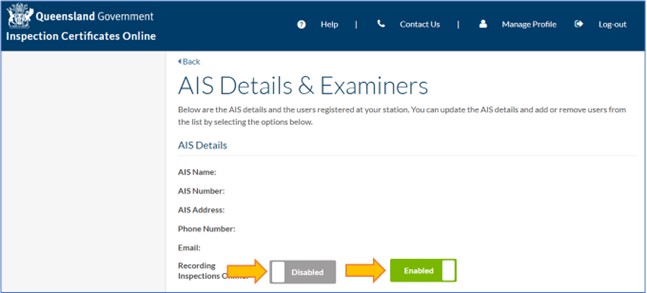
- To enable the AIS, click the grey Disabled button and it will turn green and say Enabled.
- You will need to log out of ICO and log back in for the changes to take effect.
- Last updated
- 23 August 2024
Contact us
If you experience any issues, contact the help desk between 8:30am and 4:30pm, Monday to Friday.
| Email: | [email protected] |
|---|---|
| Phone: | 07 3066 2482 |
| Post: |
ICO Administrator Department of Transport and Main Roads PO Box 673 FORTITUDE VALLEY QLD 4006 |