

Password reset
You are required to reset your ICO password every 90 days. After 90 days, your ICO account will be disabled and you will need to contact the ICO help desk to get a password reset link.
Your account will be locked if you try to log in with an incorrect password too many times. You will need to contact the ICO help desk for further assistance.
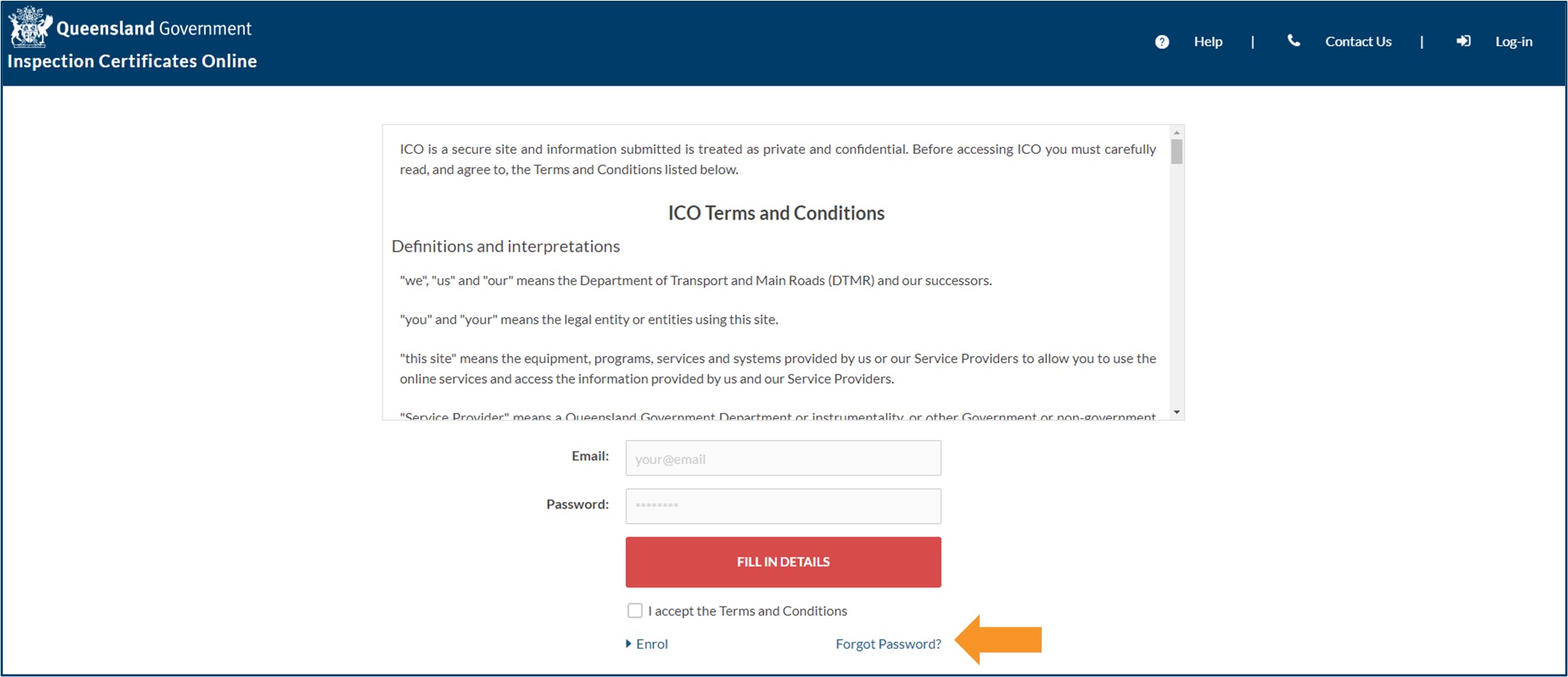
- Click on the Forgot Password? link at the bottom of the ICO login screen. This will generate an email to your nominated email address with a link to reset your password.
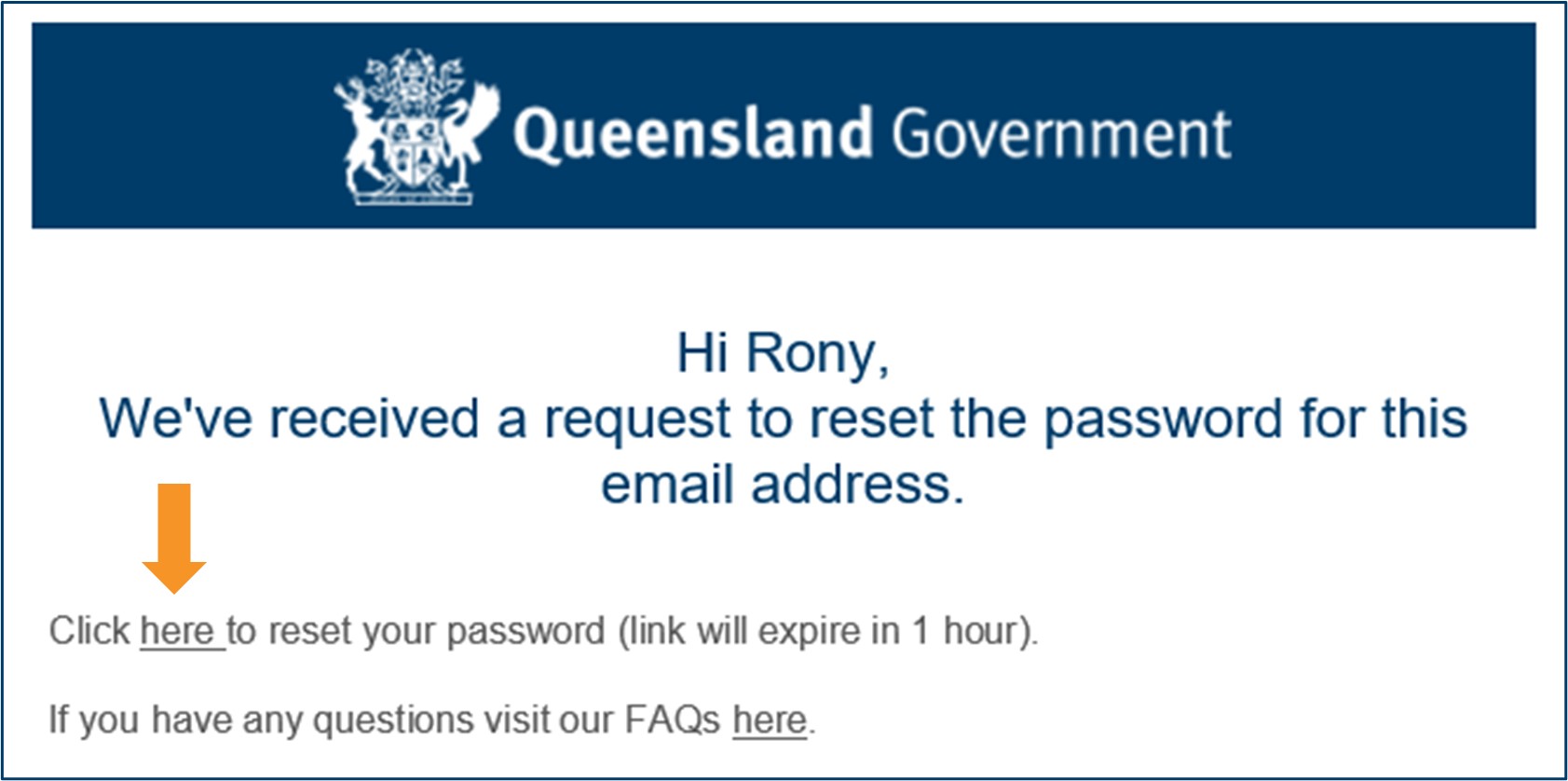
- Click the link in the email to return to ICO and reset your password. This link will expire 1 hour from when the email was sent.
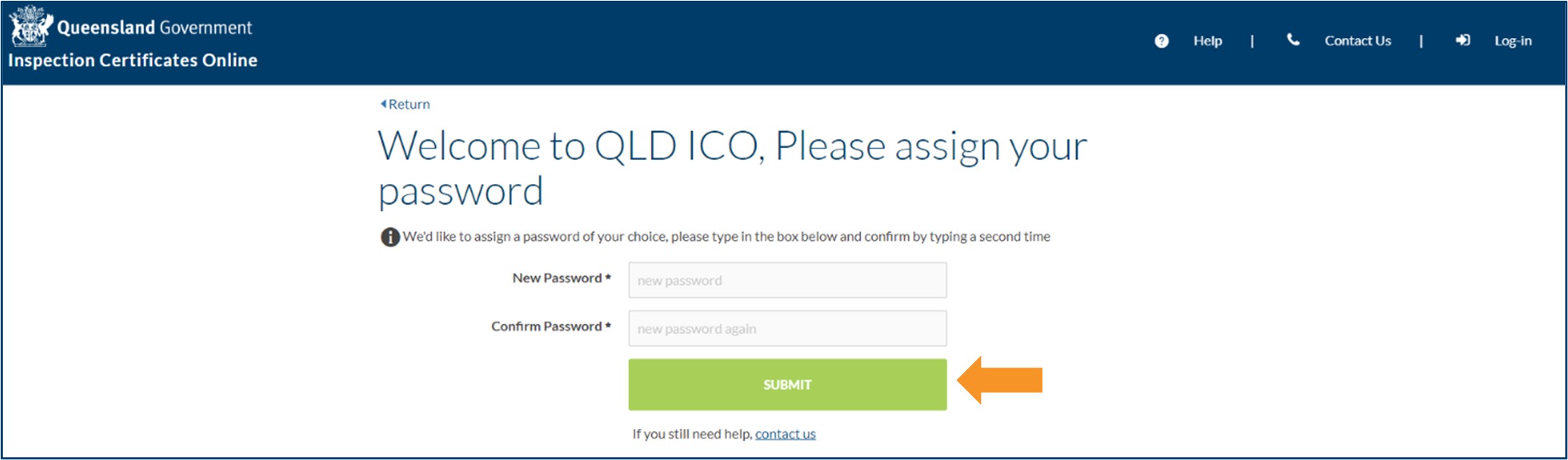
- You will be taken to the assign password page to enter a new password. The password must be different to the last 3 password you have used, and must include:
- 10 characters or more
- an uppercase and lowercase letter
- a number
- a special character.
- Enter your password a second time to confirm and click SUBMIT.
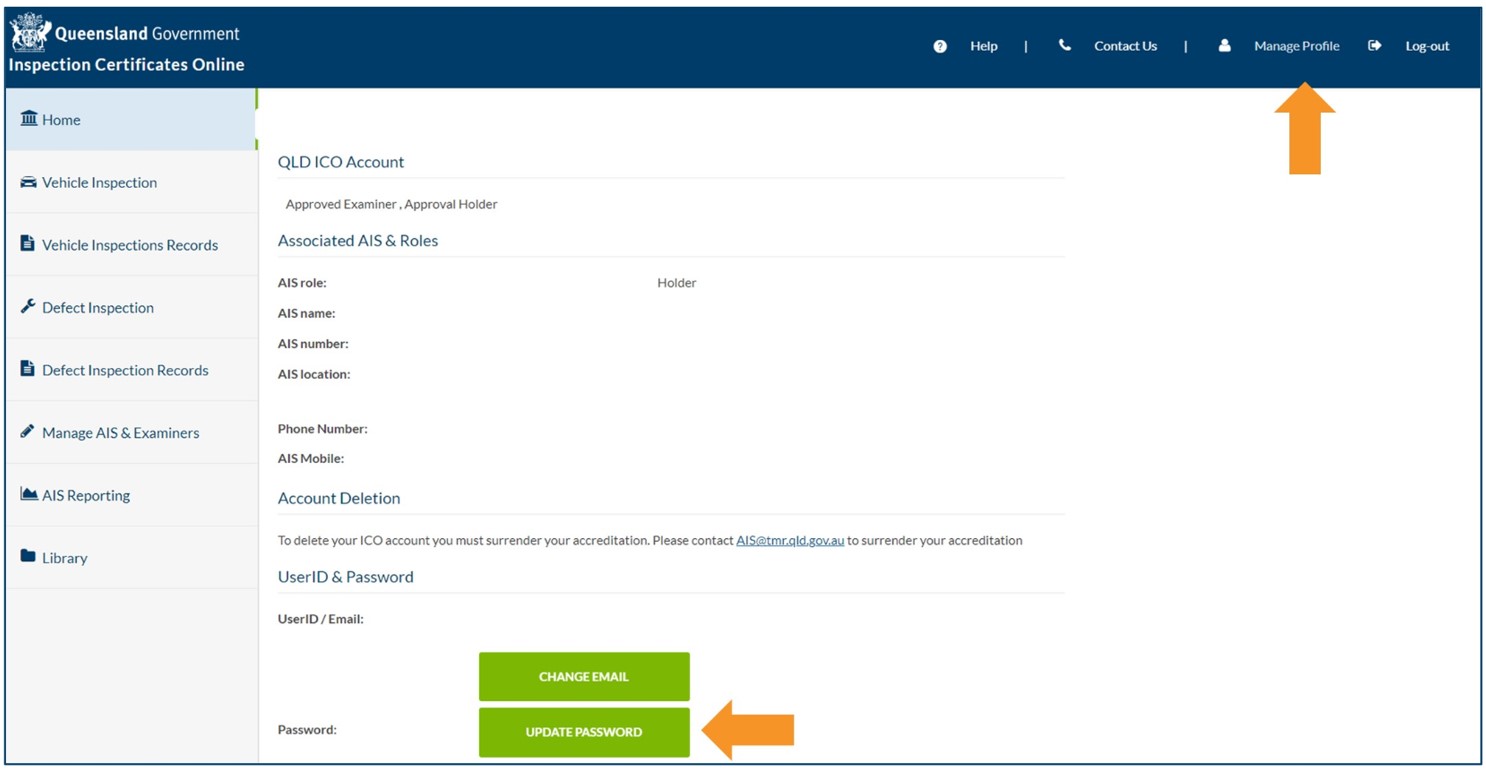
Alternatively, you can reset your password any time by clicking Manage Profile and Update Password.
- Last updated
- 23 August 2024
Contact us
If you experience any issues, contact the help desk between 8:30am and 4:30pm, Monday to Friday.
| Email: | [email protected] |
|---|---|
| Phone: | 07 3066 2482 |
| Post: |
ICO Administrator Department of Transport and Main Roads PO Box 673 FORTITUDE VALLEY QLD 4006 |